Events in three languages
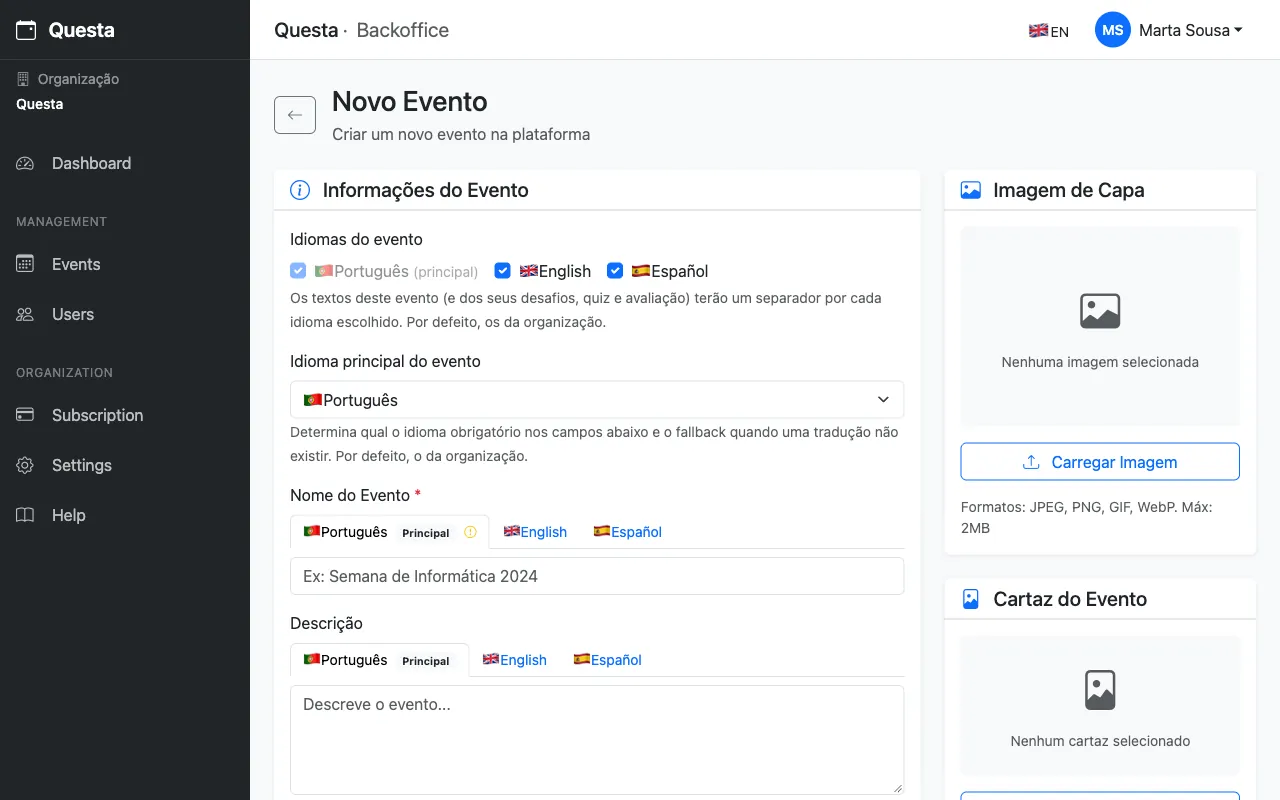
Each event picks Portuguese, English and/or Spanish. Every attendee sees the texts in their language.
Create the event, invite attendees, organise your team and see the results at the end, without jumping between tools. What you set up here reaches the attendee app.
Start with a free event for up to 50 attendees.
Each event picks Portuguese, English and/or Spanish. Every attendee sees the texts in their language.
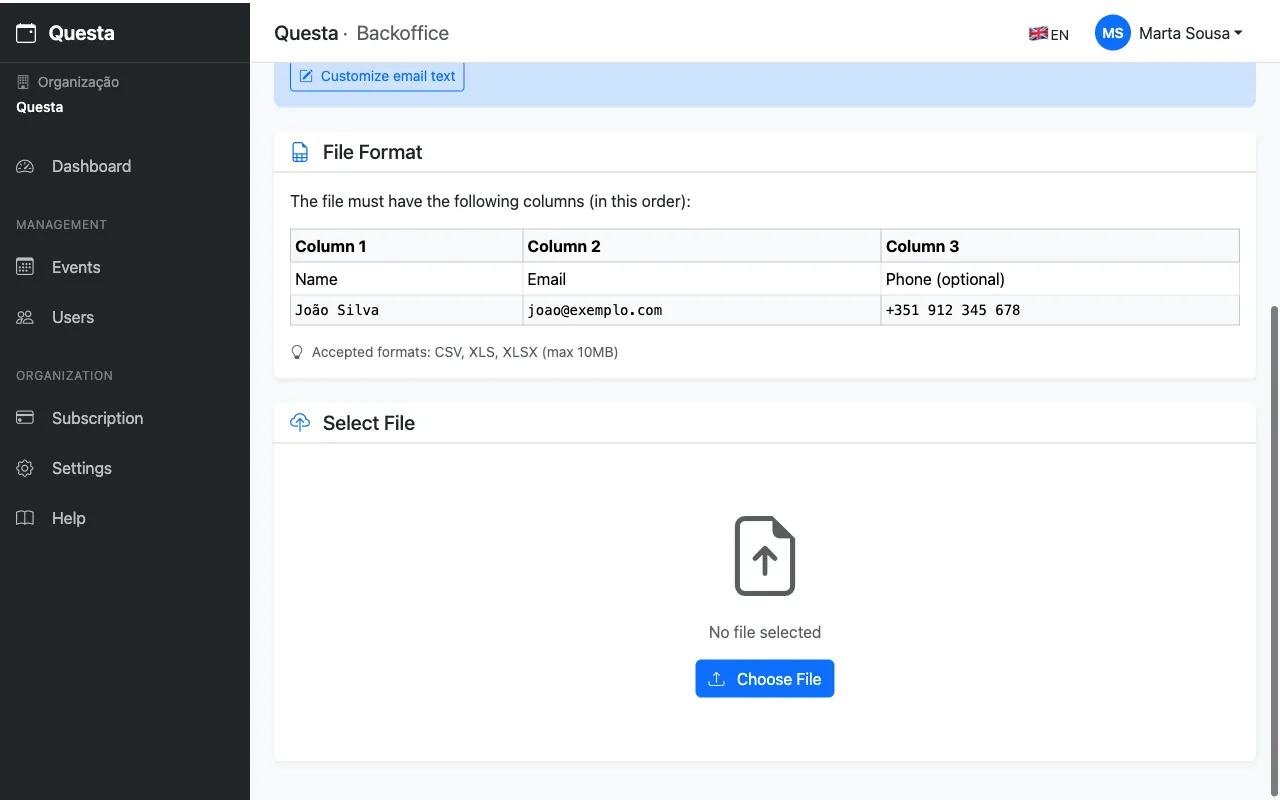
Import an Excel list or let people join when they buy a ticket. Each one gets a welcome email.
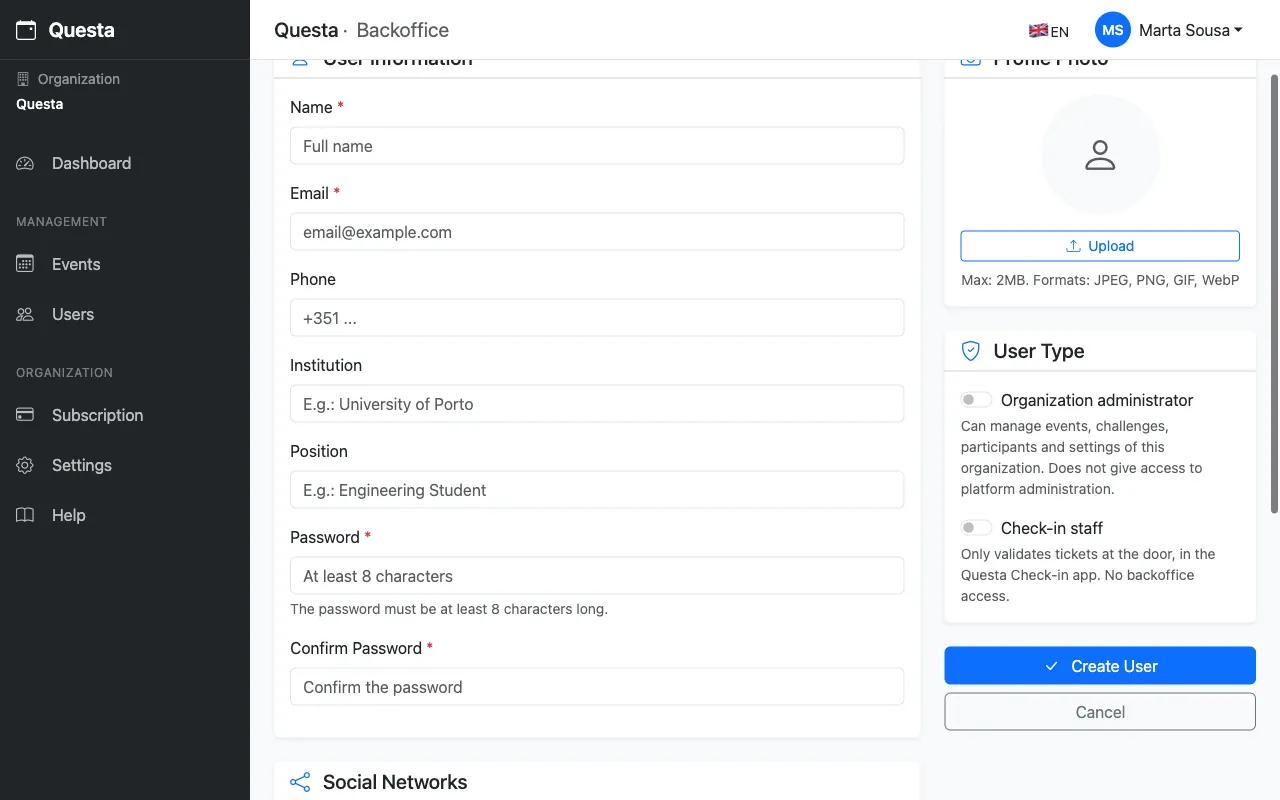
Admins manage the event; check-in staff only validate tickets, without access to the back office.
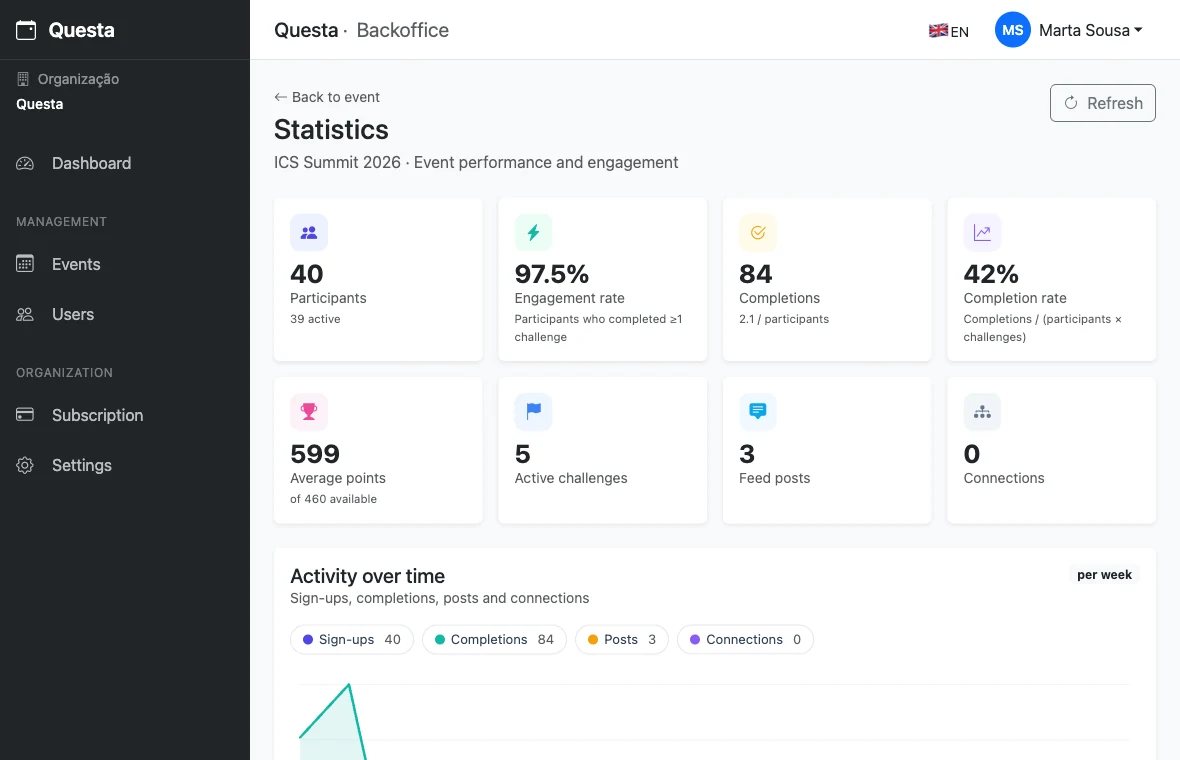
Engagement, challenges, tickets, pulses and schedule, in charts and tables.
Name, dates, time zone, cover and poster (image or PDF). The event starts as a draft and you publish it when it’s ready.
Upload a file with name, email and phone. Questa creates the accounts and sends each person their welcome email, with the text you customise.
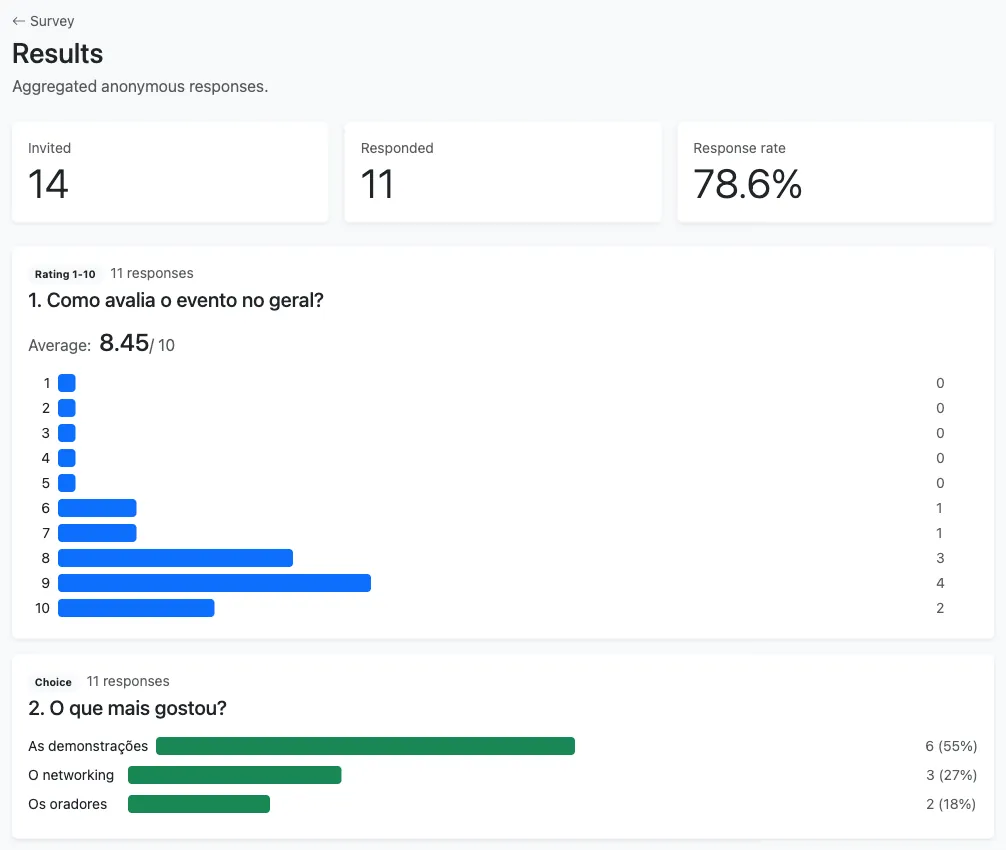
The event dashboard brings together active attendees, engagement rate, completions per challenge and top attendees. The final survey shows the answers, always anonymous.
Add admins to your organisation and give door staff a check-in-only account. In the feed, every admin post reaches attendees as a notification.
No. The back office runs in the browser. Attendees use the Questa app and door staff the Questa Check-in app.
Yes. Each event picks any combination of Portuguese, English and Spanish plus a main language. Attendees see the content in their language when there is a translation; otherwise, in the main language.
By importing a list (CSV or Excel) or by receiving a ticket. To import, the event must be published with a plan, because the plan sets the number of attendees.
Attendees, engagement, completions per challenge, participation funnel, ranking and the aggregated survey answers. If you use tickets, pulses or the schedule, each has its own analytics.
We show you the platform with an example close to your event and help you set up the first one.